Headshot Studio
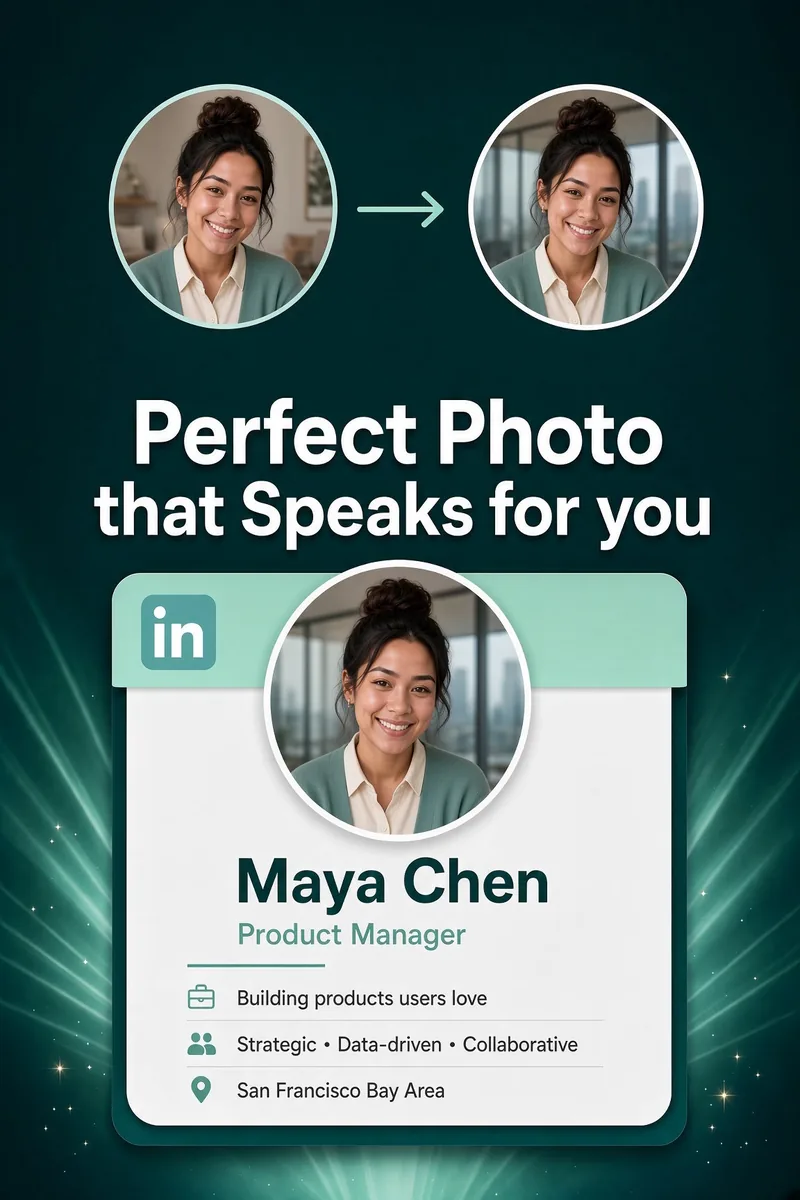
Turn any selfie into a polished profile photo.
In the app·Home → Pro Edits → Headshot
 Coming soon on theApp Store
Walkthrough
Two ways in. Same Look & Save.
Start from a photo you already have, or take a new one with the guided camera. Both land on Look & Save — pick a background, then save a new copy. Nothing leaves this phone.
Path 1 of 2
Via the photo viewer
Photos → open a shot → Pro Edits → Headshot Studio.
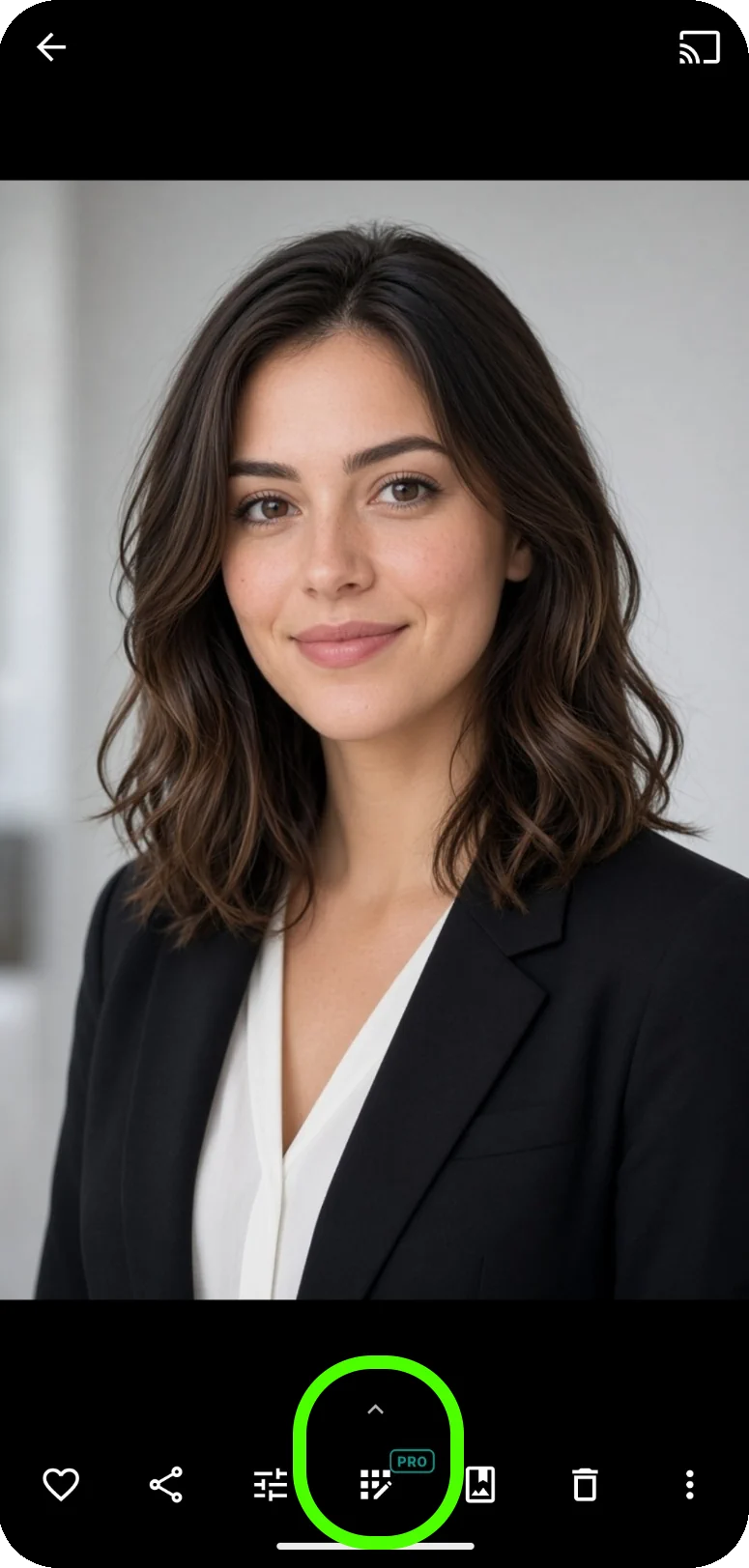
Open a photo, tap Pro Edits
In Photos, open the shot you want as a headshot. On the bar along the bottom, tap Pro Edits (the grid icon with the Pro badge). Opening the hub is free — Pro is only asked when you save.
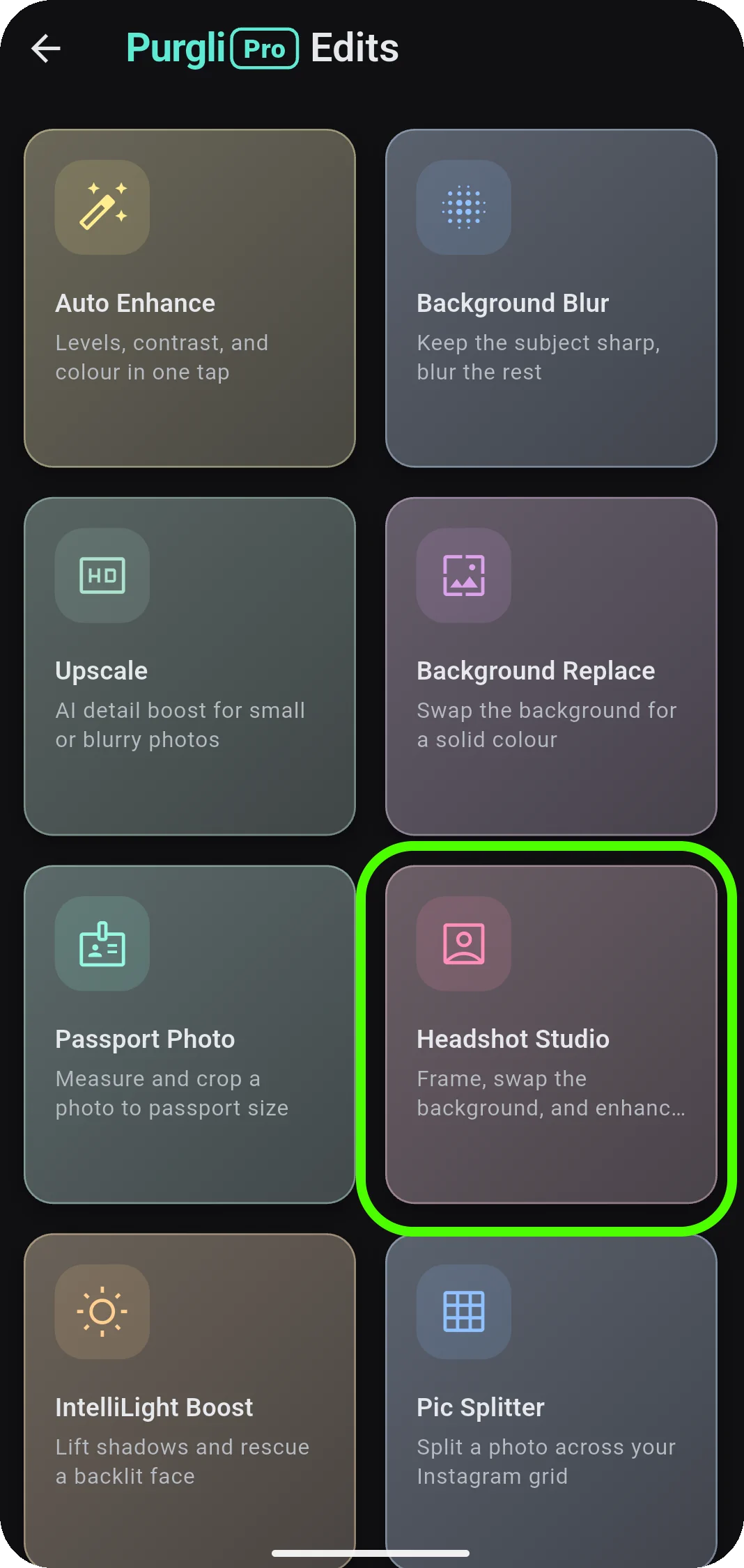
Tap Headshot Studio
On Purgli Pro Edits, tap Headshot Studio. Purgli finds you in the photo, removes the background, and measures your face — all on this phone. Then pick a crop: Profile / LinkedIn (square), Corporate portrait, or Resume. Next opens Look & Save.
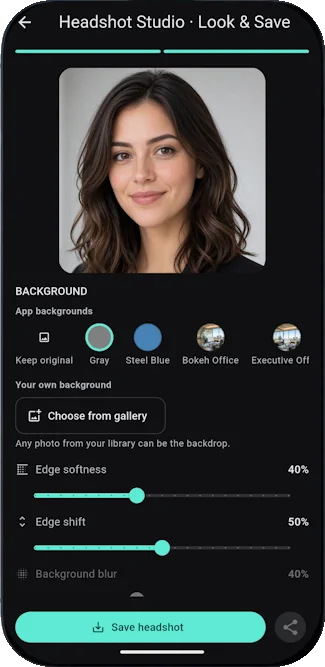
Pick a look, then Save headshot
Look & Save is a live preview. Keep the original background, pick a studio colour or photo, or Choose from gallery to use your own. Nudge Edge softness, Edge shift, Background blur, and Ambient match. Filters and Auto-enhance sit below. Tap Save headshot to write a new copy — the original stays. Saving is Pro (or an active trial); Share unlocks after you save. Nothing is uploaded.
Path 2 of 2
Via the camera
More → Headshot Studio. No library photo required.
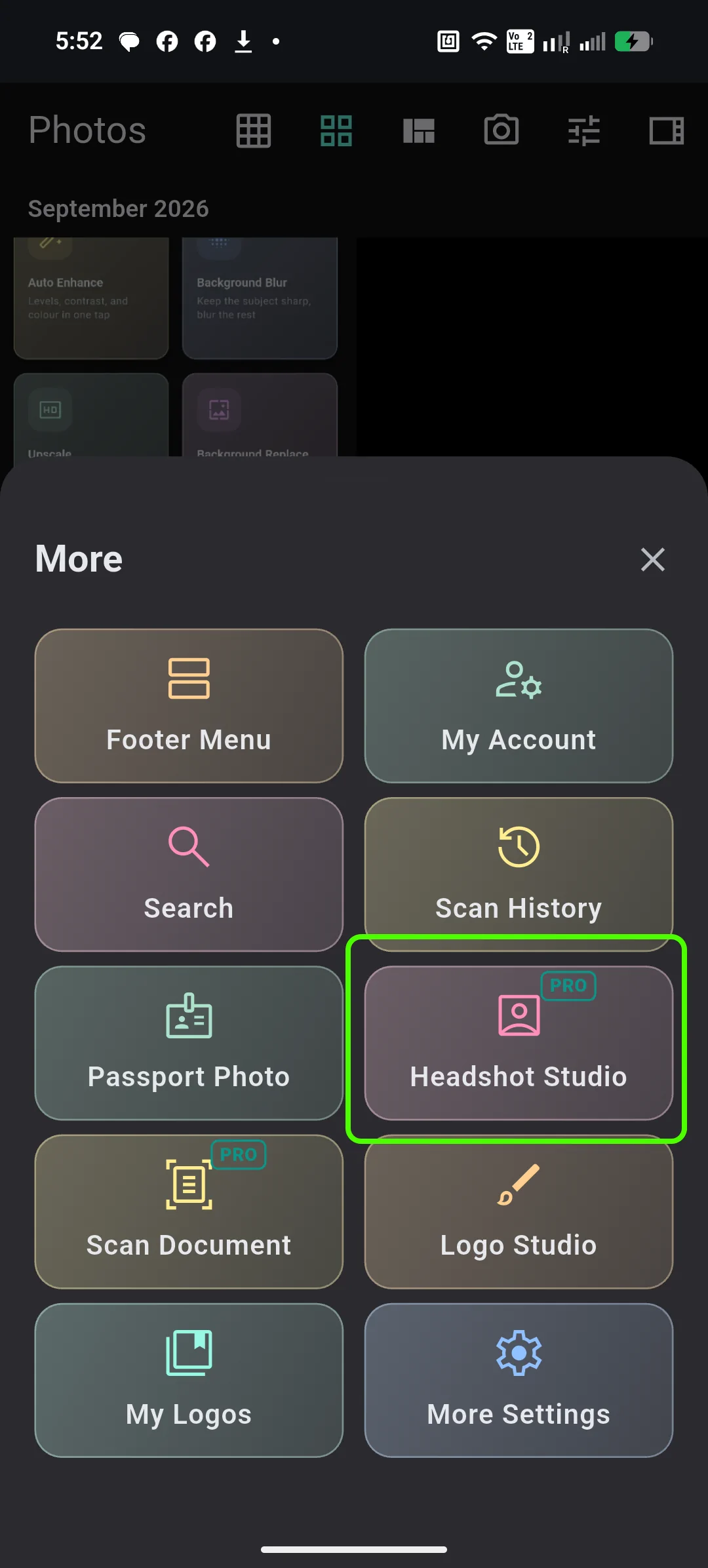
Open More, tap Headshot Studio
From the header, open More. Tap Headshot Studio. This path does not need a photo already in your library — it opens the guided camera. The tile shows Pro; opening it is still free.
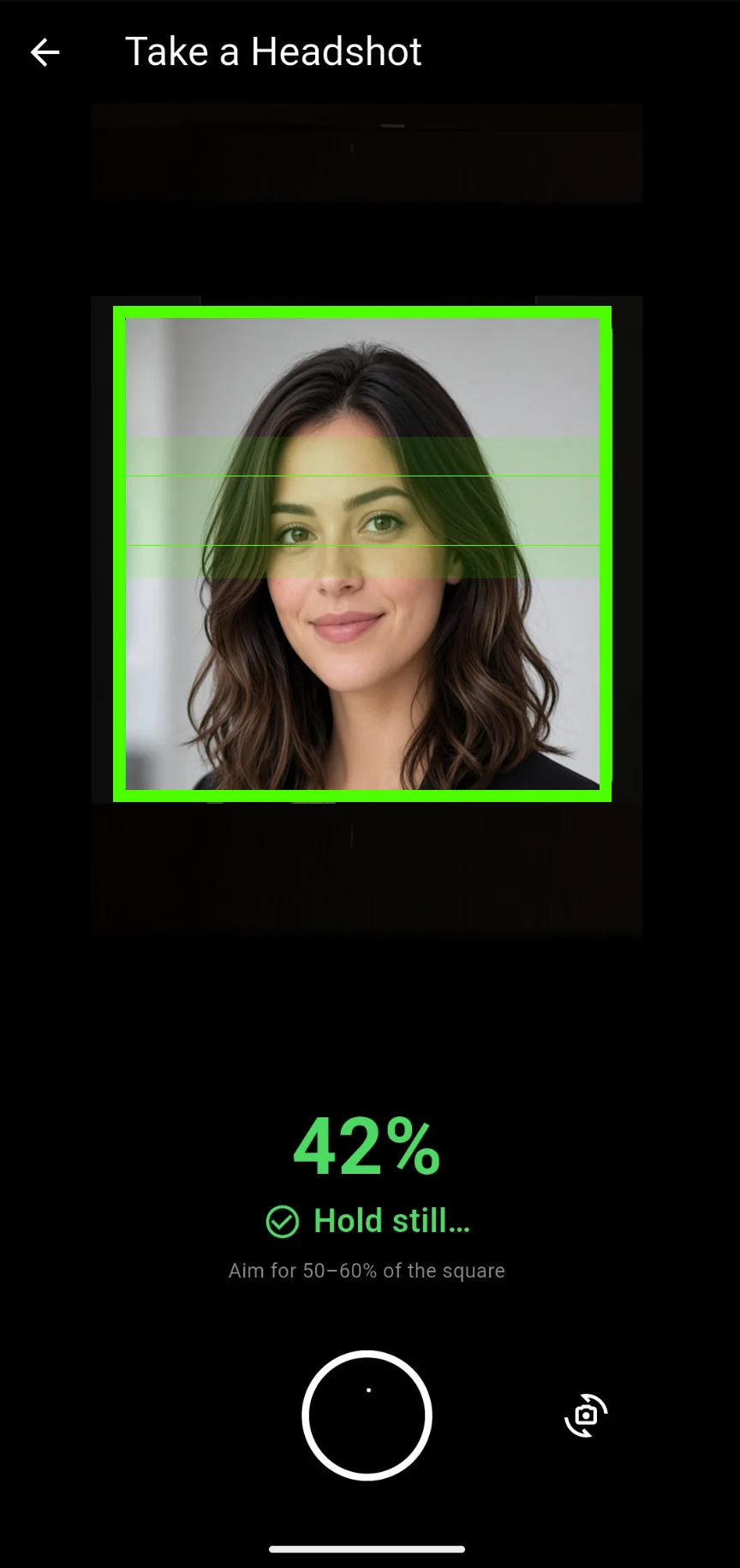
Frame your face, then capture
Take a Headshot shows a square guide and live cues. Line your head up so it fills about 50–60% of the square. When the frame is ready it says Hold still… and captures on its own — or tap the shutter anytime. Flip the camera if you need the rear lens. Make sure only one person is in frame. The capture continues into the same Frame → Look & Save studio.
Pick a look, then Save headshot
Look & Save is a live preview. Keep the original background, pick a studio colour or photo, or Choose from gallery to use your own. Nudge Edge softness, Edge shift, Background blur, and Ambient match. Filters and Auto-enhance sit below. Tap Save headshot to write a new copy — the original stays. Saving is Pro (or an active trial); Share unlocks after you save. Nothing is uploaded.
Try Headshot Studio on your phone
Headshot Studio runs entirely on your device — no document or photo ever leaves your phone.
Coming soon on theApp Store